How to Register for an Open Event (Existing OVBC Circuit Team)
This guide is for anglers who already have an existing team with the organization.
If you do not have a team, see How to Register for an Open Event (New Team) instead.
Step 1: Open the Registration Page
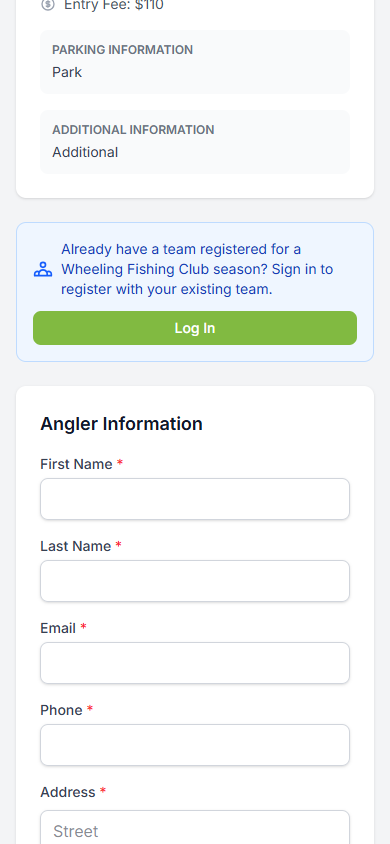
Navigate to the open event registration link provided by your organization. You will see the event details at the top. Below the event details, look for the green banner that says:
"Already have a team registered for a Wheeling Fishing Club season? Sign in to register with your existing team."
Tap the "Log In" button to sign in.
Step 2: Sign In to Your Account
A sign-in dialog will appear right on the registration page. Enter your email and password, then tap "Sign In".
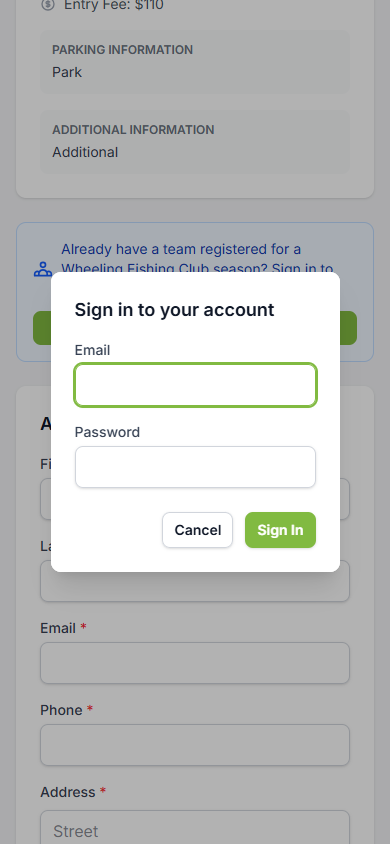
Note: If you are already logged in, you can skip Steps 1 and 2. The registration page will automatically show the team registration form instead of the guest form.
Step 3: Select Your Team and Anglers
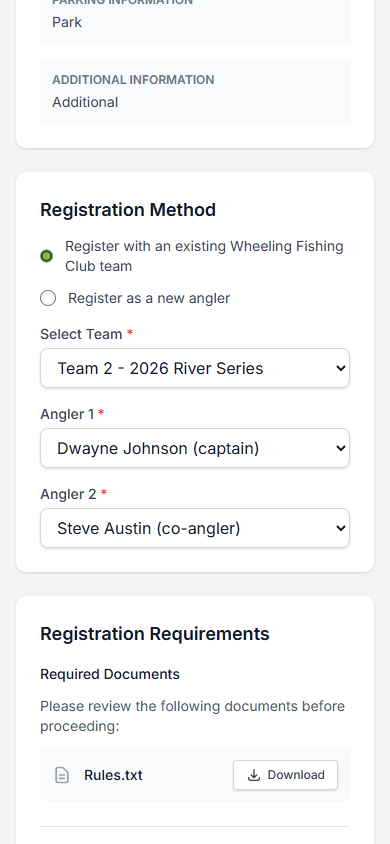
After signing in, the page updates to show the Registration Method section with "Register with an existing team" already selected. From here:
Choose your team from the Select Team dropdown
Select Angler 1 - typically the captain/boat driver
Select Angler 2 - your partner, or choose "No Partner - Fishing Solo" if fishing alone
Step 4: Review Requirements and Confirm
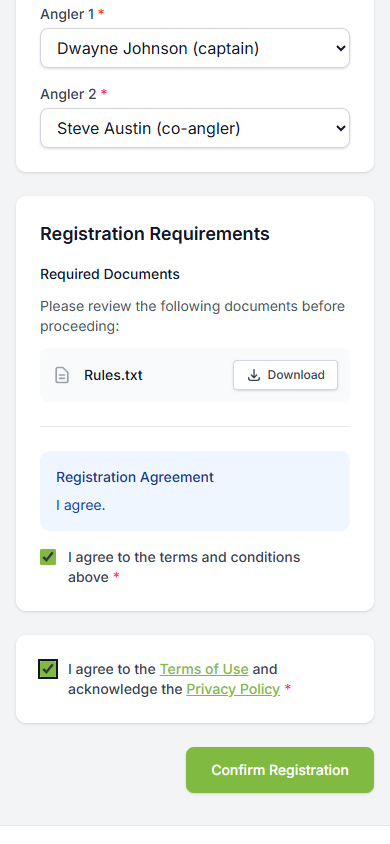
Review the Registration Requirements section:
Download and review any required documents (e.g., rules)
Read the Registration Agreement
Check the box to agree to the terms and conditions
Check the box to agree to the Terms of Use and Privacy Policy
Then tap "Confirm Registration".
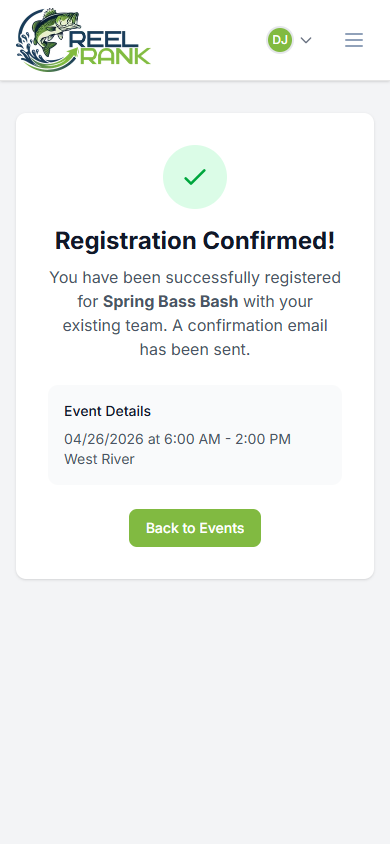
Step 5: Registration Confirmed
You will see a confirmation page with a green checkmark confirming you have been successfully registered with your existing team. A confirmation email will be sent to your account email address.
Tips
If you are already logged in when you open the registration link, the page will show the team registration form right away - no need to tap Log In
You can only register during the registration window - check the dates on the event page
Contact your organization admin if you have questions about entry fees or event rules